Photo Portfolio v2
It was probably the sudden arrival of a receipt for payment of £74 for another year of hosting my photos on Flickr that made me re-open the idea of looking for a ‘free’ alternative again.
I did look at a GitHub-only option some time ago but I didn’t love it, and the restrictions on repo size really made it a non starter.
So I started to look at other options….
Specialist hosting sites
There were other paid options out there:
- Glass.photo - nice looking site, but that’s still $40 per year
- Adobe Portfolio - sorry, but I’m not gonna join that sinking ship of a company and its grabby approach to subscriptions
- 500px - pretty, but too focused on selling photos. And still £35 per year for a limited site
- Pixpa - with the number of photos on Flickr I’d need the unlimited plan at around £60 per year, so no real incentive to move
Finishing with Flickr
Following the ‘burn your boats’ approach to committing to a solution of some sort that wasn’t Flickr I decided to clear out those 1,762 photos I had hosted
I started with an attempt to get a refund and cancel the subscription altogether. The Flickr support info suggests that once you’ve paid then that’s it for the year, even if you cancel the renewal for next year. But I gave it a shot under UK consumer law (quoted in the email), and to their credit (and mine) I received the refund within 2 hours.
Oh, and if you do cancel they instantly offer you a 20% discount on signing up again. So why not make your service cost that much in the first place?
Downloading the photos
Next it was getting copies of the photos off the site. Again, Flickr is pretty good at this, in that all the EXIF data is retained in the photos, and you just request the download. It comes in two parts:
- the original quality photos themselves, batched into folders of 500 photos each
- a folder of JSON files that relate to the albums used and the photos in them
Problem: the 48 albums I had my photos in were now evicted. I’m not clever enough to use the JSON to work out what went where.
So I looked into alternatives for the migration that could preserve the album structure. I chose PicBackMan as I could set up permissions from the source (Flickr) and the destination (Google Drive for now).
Problem: with 1,762 photos, it would take 4 months to finish the transfer for free, or I’d have to pay for a “one-month” plan to do it all at once
Setting the objectives
Before I got elbow-deep in building a solution I thought it best to set out expectations.
As an amateur photographer
I need a website where I can share my best photos
So that I can direct others to these to view easily
Desired outcomes:
- Camera roll based showcase of all photos
- Album based division of photos for particular events or themes, with each album autosizing the contained images to best show the collection
- each individual photo takes the majority of the screen for maximum display
- Able to easily recreate the current albums and their photos from Flickr in the new site
- Some controls over which photos are public and which are private (optional)
- Ongoing management is simple
Deciding on an option for built-it-yourself
I was quite keen to have a play at building something with Gemini as a co-pilot to guide me through troubleshooting
Hugo theme with GitHub Pages
I started with my preferred approach of using a theme in GitHub Pages to do the presentation, and look to an external host for the photos themselves to cope with the volume.
I’ve previously used Jeckyl for site structure and themes, but I was persuaded by Gemini to take a look at the Hugo Gallery theme. The Demo site looked perfect for my needs.
I created a new repo in GitHub and in this created a hugo.toml file to pull in the theme
baseURL = 'https://www.ox1digital.co.uk/gallery/'
languageCode = 'en-gb'
title = 'OX1 Digital Photography'
[module]
  [[module.imports]]
    path = 'github.com/nicokaiser/hugo-theme-gallery/v4'
Then a go.mod file to track the connection
  module github.com/electronicdreamplant/ox1-gallery

go 1.20
Then a .github/workflows/hugo.yaml file to handle the site parameters
name: Deploy Hugo site to Pages

on:
  push:
    branches: ["main"]
  workflow_dispatch:

permissions:
  contents: read
  pages: write
  id-token: write

jobs:
  build:
    runs-on: ubuntu-latest
    steps:
      - name: Checkout
        uses: actions/checkout@v4
      - name: Setup Hugo
        uses: peaceiris/actions-hugo@v3
        with:
          hugo-version: 'latest'
          extended: true
      - name: Setup Go
        uses: actions/setup-go@v5
        with:
          go-version: '1.20'
      - name: Build
        run: hugo --minify
      - name: Upload artifact
        uses: actions/upload-pages-artifact@v3
        with:
          path: ./public

  deploy:
    environment:
      name: github-pages
      url: $
    runs-on: ubuntu-latest
    needs: build
    steps:
      - name: Deploy to GitHub Pages
        id: deployment
        uses: actions/deploy-pages@v4
I was really pleased with how quickly I had a site up and running. After loading some test images into a new directory at content/galleries/my-first-album/ I created an index.md file and gave it some frontmatter for structure
---
title: "My First Album"
date: 2026-02-04
description: "A test album to see how the gallery looks."
resources:
- src: "your-photo-name.jpg"
  params:
    cover: true
---
It all looked great! A simple presentation, a nice category structure, a lightbox presentation that didn’t clutter things with EXIF information. We had a winner!
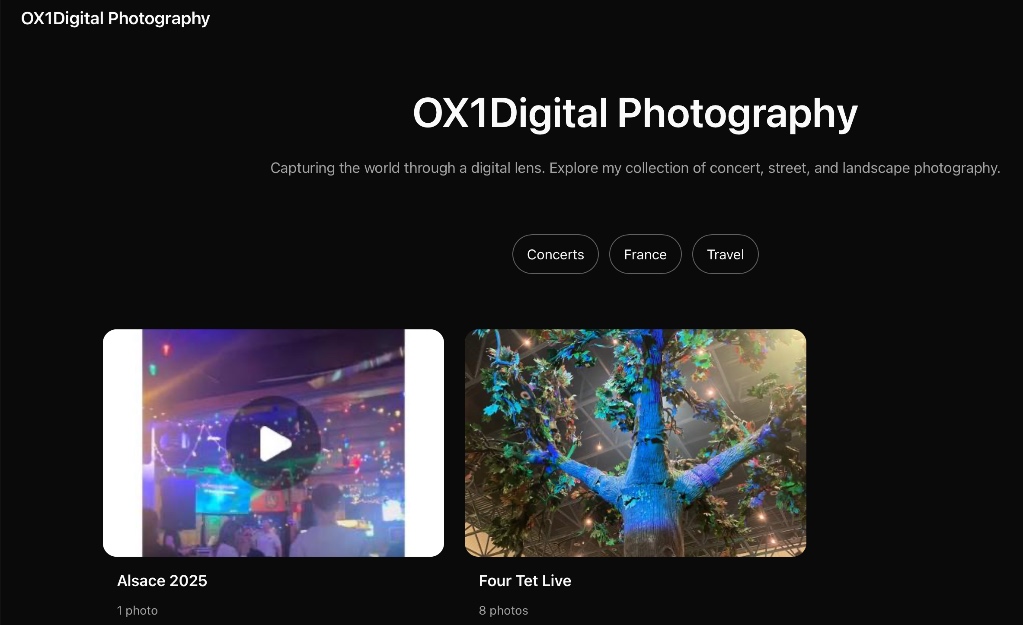
Yeah…that was short lived.
Problem: the Hugo theme is well suited to hosting physically present files in a repo, but just doesn’t want to play with virtual images as it is (by its nature) a static site.
The original plan had been to use Google Drive to host the photos, as I have a generous storage limit, and Gemini was sure it could make it work in pulling in the photos from there. So then began the various approaches to do just that using a variety of methods, including using Rclone and Google Developer Console. This took the best part of a day to work through, and nothing worked.
It was all a bit depressing.
Google Photos and Google sites
I really resisted this approach as long as I could, but Gemini (at various points) kept flagging that I already really had the resources I needed to set up more or less what I wanted.
I don’t like the limited nature and amateur presentation of Google Sites, and Google Photos is more geared towards storage and organisation than it is sharing.
But the reality is it is very easy to manage photos, create shared albums and include photos on a Google Site with its native capabilities. As with most things in life, a compromise is sometimes the best you get. So I went for the compromise.
Setting up the Google-based option
Google Photos repository
I was already using Google Photos as a lower-cost back-up for my photos automatically from my iPhone/Macbook. Many moons ago I used an external hard drive that failed and I nearly lost everything.
But this really was a ‘bucket’ of all my photos rather than just the photos I wanted to show. The solution was to set up a new Google account, share my One account storage with it as part of the famiily plan, and then uploaded all 1,762 images that I’d downloaded from Flickr.
Unfortunately it did mean setting up the albums from scratch, but given many were event or occasion-based it wasn’t that hard. I also had the chance to cast a more discerning eye over what went into each album.
An unexpected benefit of this was the ability to include a photo in multiple albums, since Google Photo albums are really just tags on the photo metadata. This lead my to re-think my approach from being event-based and move toward being theme-based. So albums for themes were created too.
Google Sites portfolio
I held my nose and dived in, but strangely was quickly surprised by how easy it was to create the simple site I was after.
I stuck with the Simple theme for the site, and used a side navigation for the themed albums. The home page was to be a front door for my favourites, and then pages for each theme.

Pulling in images for each page was pretty simple. Although none of the ‘albums’ are visible to select from, you can search for the album title. Selecting images to import is limited to 20 at a time, so sometimes a bit of reorganisation was needed afterwards.
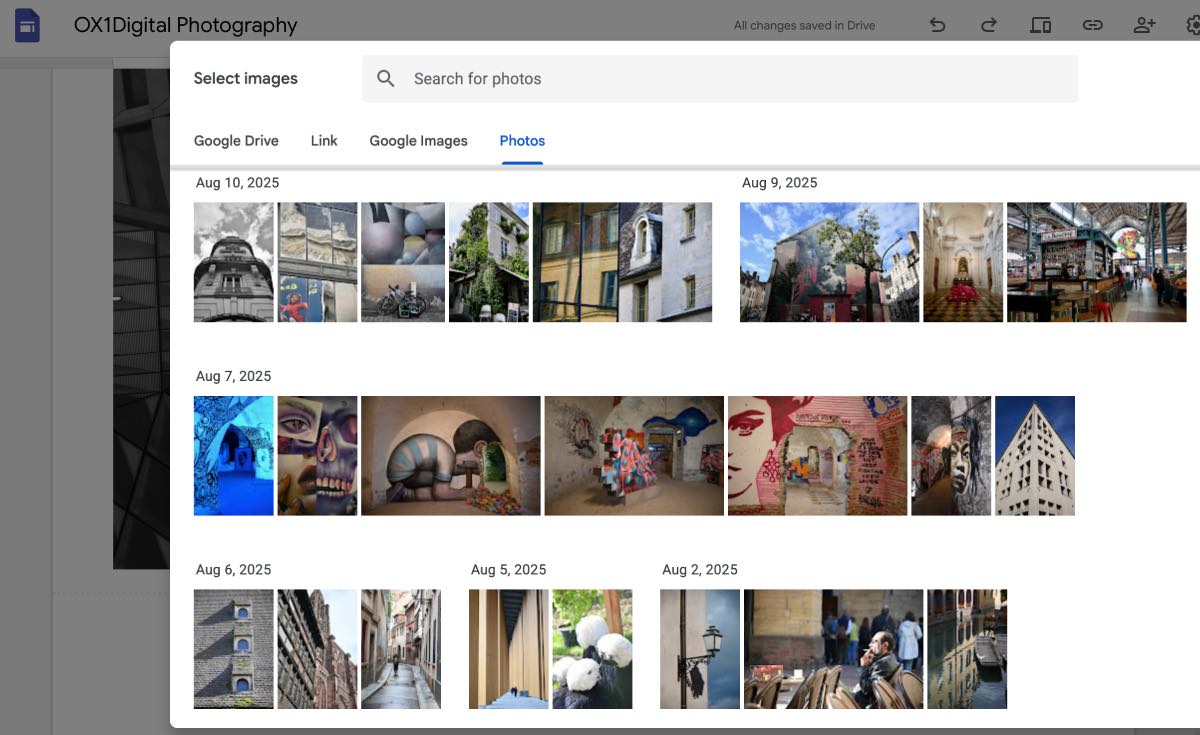
Another trade-off is that none of the images can be enlarged by the user once on the page. So I took to adding a link to the Google Photos album at the head of the page as another compromise.
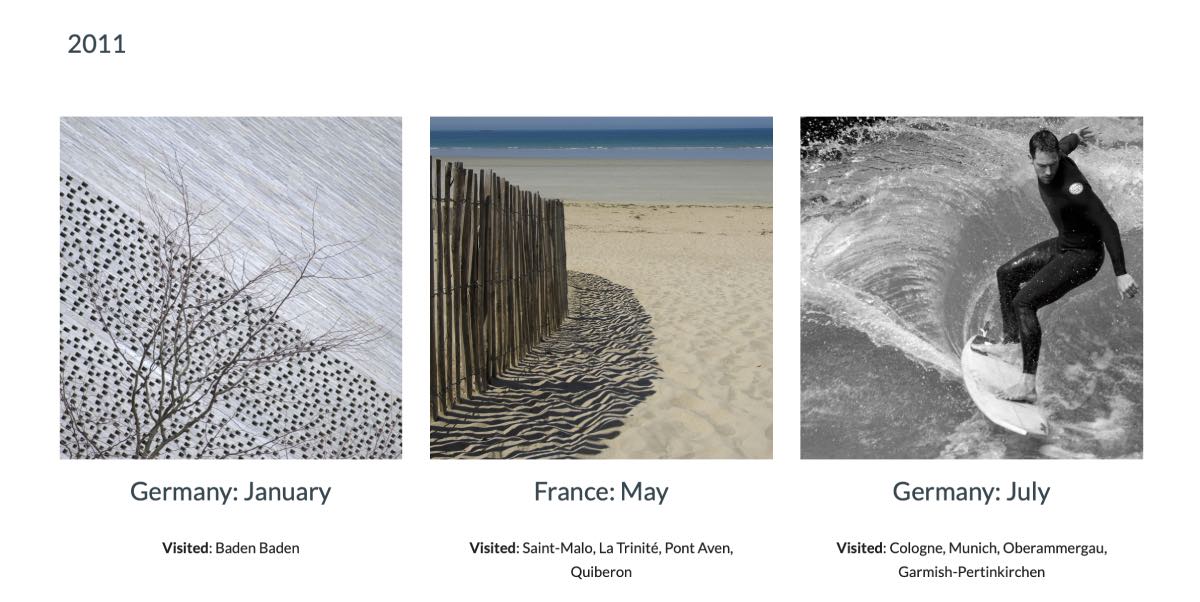
My Flickr site had previously been dominated by holiday-based albums, which may not have meant anything to a casual user but meant quite a bit to me as a record of where we’d been. I realised I didn’t want to lose this entirely. My compromise was to create a single Travel page, grouped by year with the feature image being a link to the Google Photos shared album. By adding more data about the visited places on each holiday I created a better record for myself too.
Setting up the subdomain
Using a Google Pages approach I’d pretty much decided that the new portfolio site would just adopt the domain/repo URL and that would be that. But a Google Sites website would work that way, so I wondered about setting up a subdomain of photos.ox1digital.co.uk.
Google Sites made this really easy by adding the custom domain in Settings, then generating a TXT file for site verification.
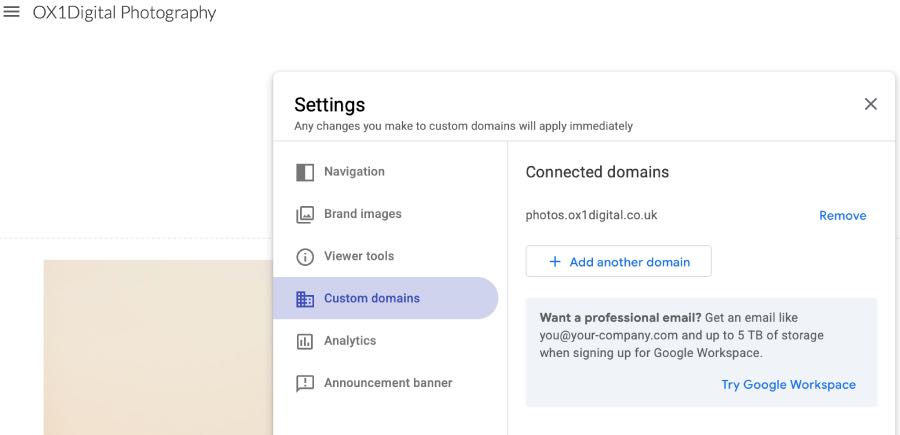
Setting up the DNS record in Ionos was a different story as it assumes that you want to use its webhosting, and it adds Mail settings too. Once the Google Sites TXT record was added then it became possible to delete the unnecessary A and AAAA records for photos with no errors. Once verified, Google Sites then supplied the CNAME data to add in.
To be honest, I hate dabbling in DNS records and was glad to have some Gemini support to guide me through it as they don’t make it easy.
Conclusions
- “You can’t always have what you want, but if you try sometimes you get what you need” - Rolling Stones
- For an amateur photographer there really isn’t the need for a professional, expensive site - what I’ve put together works well for me, and it should be easy to manage going forward.
- I’ve really enjoyed the excuse to wade through my photos all over again and see how I’ve improved as a photographer
- Using a theme-based organisation to the site has helped me see my photos differently
- It’s a real shame that Google don’t go the extra step and make a dynamic connection between Sites and Photos to pull in albums for display without needing the manual work involved here.
Check out the site at photos.ox1digital.co.uk