Building a personal Soundcloud
Flushed with the success of building a Flickr alternative my thoughts turned to what I could do self-host my own music (easy) and sharing it (less easy).
Soundcloud looks great but has a cap on how many tracks you can upload before being charged, and Bandcamp is free to use but is pretty ugly and geared towards selling music. Could I have something free and looks great?
Prototype
Before getting in too deep, I got Gemini to knock up a single-page proof of concept to see if it was worth pursuing. This used Wavesurfer.js as the playing interface to give it that ‘Soundcloud’ look with a visual representation of the sound wave. I uploaded a couple of .wav files to try it out on.
And it worked a treat! So on to the build..
App structure
I started looking at existing Hugo or Jekyll themes that would support what I wanted to do.
Gemini suggested Stage,by Noah Lange - Noah claims that he would continue to supported the theme as he uses it himself. Except he doesn’t. In fact I couldn’t find any use of it anywhere. And it felt more geared towards the music being hosted on sites like Soundcloud than self-hosting. In the end I decided to make it more my own than based on someone else’s theme.
First up was separating out all the key file types into directories. We ended up with:
- audio - for the mp3 files
- css - to host the styling
- js - for the waveshaper file and the app.js file to power the logic
- images - for the cover art for each track
I was also keen to make adding new files really simple, just like writing a blog post. Gemini suggested a json file, but this felt messy. Instead I went for a Markdown file per track, using frontmatter to set the track name, cover art file name and audio file name (plus we added in a genre category too).
To utilise the ‘blog post’ approach to have newer tracks loaded at the top a small yaml file was used to make sure the track files were treated as a collection and sorted how I wanted.
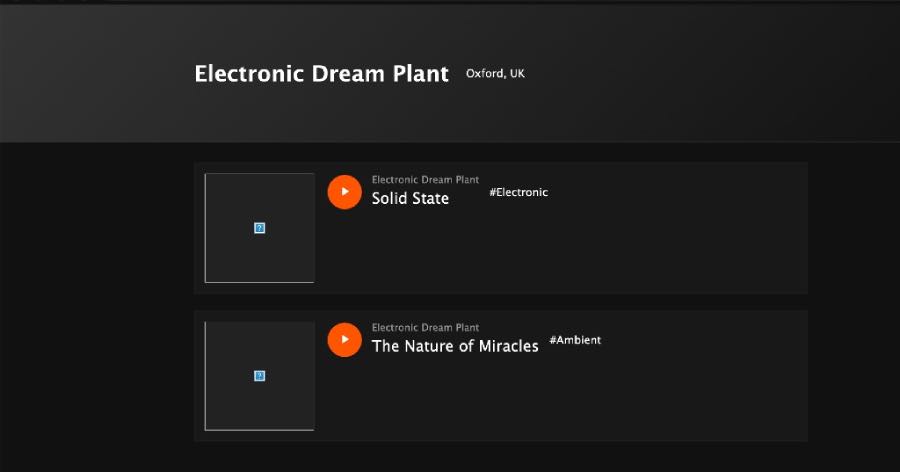
The first iteration looked promising
Debugging
As you could see from the image, no soundwave was shown on the first iteration. And this led to a protracted round of debugging to work out just why the waves weren’t shown and the track not playing.
When I say ‘debugging’ it was a frustrating back-and-forth on config and path naming. A .nojekyll file was created at one point and deleted later. I got pretty bored by it. Hours later, I discovered that in moving the audio files all their data had been stripped out, so these needed reloading.
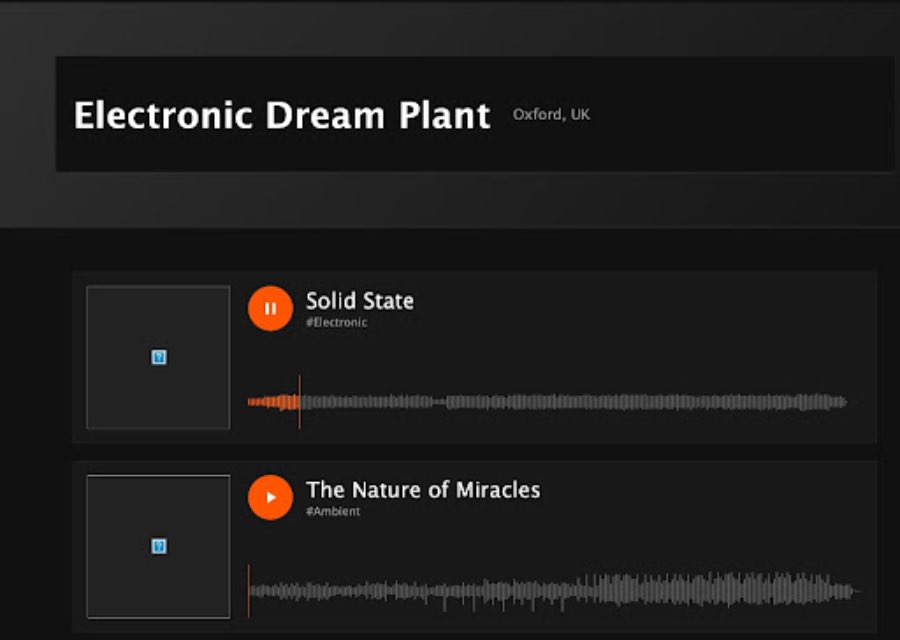
Finally, the soundwaves appeared and the tracks played!
Design and behaviours
Now it was time to pretty things up and work out how the player should operate (all the kinds of things I push at my development colleagues at work!)
Design
The initial design had copied the Soundcloud orange, but I wanted to use my signature purple. Modifying the sound wave presentation was achieved using the parameters in the app.js file.
Next we added the played time/track length and the cover art files, and things were looking good.
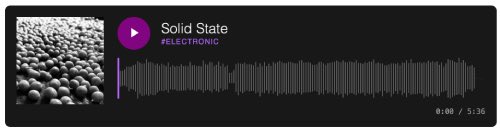
This was later enhanced by a border around the cover art, and hover/play state borders for the track cards.
App behaviours
How the player should operate evolved over time. The rules we arrived at were:
- if you start playing one track then select another, the first track should stop and the new track start playing
- it should not be possible for multiple tracks to play simultaneously
- when a track is switched, the play bar position should be pushed back to the started, and the play button shown again
- once a track had completed playing it would automatically play the next track.
- When the last listed track has played, the player will stop
File load optimisation
I noticed that the sound waves for each track were taking up to 20 seconds to load. This was tracked down to the mp3 files I’d converted from my original wav files. The browser was trying to download every single MP3 file simultaneously to “read” the peaks and valleys for the waveforms.
As I converted these in a hurry I didn’t give much thought to their size, and it turned out my file quality was higher than SoundCloud, Spotify or Bandcamp! I ran them through Audacity to reduce them to 128Kbps, which led to a 60% improvement in load time.
This was helped by a ‘lazy load’ fix that only loaded the tracks and their sound waves when they were visible in the browser. We did look at a ‘skeleton’ wave shape being loaded initially, but it didn’t work out.
Extra tweaks
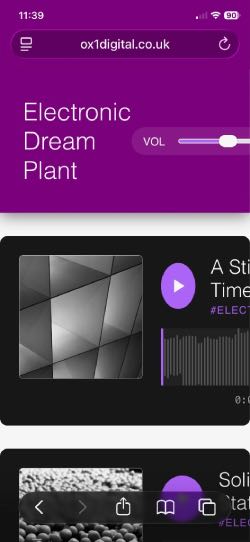
We added a sticky header to maintain the site identity. Included in this was a volume control for the tracks. It turned out to be too difficult to get this working on mobile view, so I took the pragmatic view to hide the control rather than spend more hours on trying to get it to work.
Mobile view, overall, turned out to be a hard nut to crack. If I’d have been working with a human developer they’d have used a ‘mobile first’ approach to save the effort required to fix the mess we ended up with.
The end result
For half a day’s work I was delighted with how it turned out.
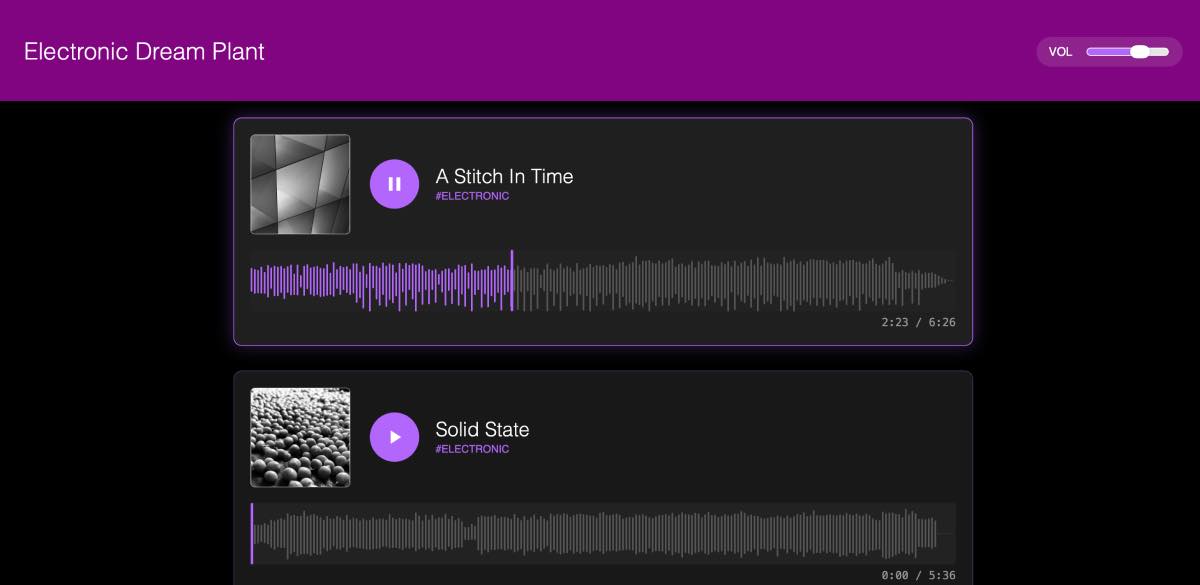
I no longer have to rely on mainstream platforms and can adjust it as I like. The only limitations I have are the maximum size of the repo, and (currently) too little music of my own to actually upload!
Go and check it out: Electronic Dream Plant music player